Video Interview Preparation Techniques
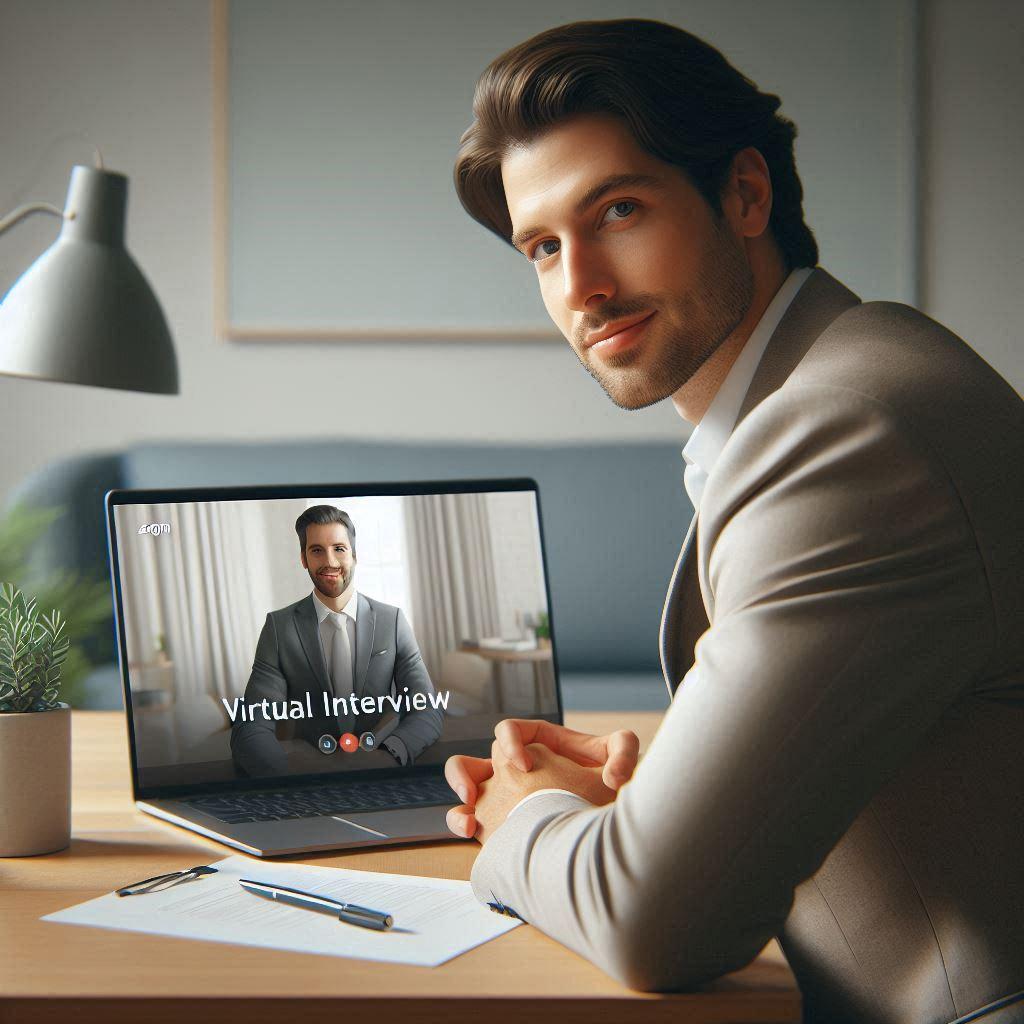
Video interviews have become standard practice in modern hiring—but the most successful candidates don't treat them like casual video calls. Instead, they leverage strategic preparation techniques to create the same connection and impact as in-person interviews, overcoming the unique challenges of virtual communication. Mastering video interview preparation requires understanding how to optimize both technical setup and personal presentation, using deliberate techniques that build rapport, demonstrate professionalism, and ensure your skills shine through the screen.
Why Video Interviews Require Specialized Preparation
Unique challenges of virtual interviews:
- Technical issues can undermine even the strongest candidate's performance
- Lack of physical presence makes building rapport more challenging
- Screen barriers can reduce non-verbal communication effectiveness
- Home environments introduce potential distractions and professionalism concerns
- Video interviews require different energy and engagement than in-person meetings
The Video Interview Preparation Framework
1. Technical Setup Optimization
Eliminate technical barriers to professional presentation:
- Test your internet connection and have a backup option (mobile hotspot)
- Use a wired connection when possible for maximum stability
- Close unnecessary applications to maximise system resources
- Position lighting in front of you (not behind) for optimal visibility
- Conduct a full technical rehearsal 24 hours before the interview
"A marketing director preparing for a virtual interview with a major tech company created a comprehensive technical checklist. She tested her setup on the exact platform they would use, positioned her camera at eye level with proper lighting, and arranged for childcare during the interview window. Most importantly, she conducted a full dress rehearsal with a colleague who provided feedback on her on-screen presence. This thorough preparation paid off when a minor audio issue occurred during the actual interview—she calmly switched to her backup connection without disrupting the flow, demonstrating problem-solving skills that impressed the interviewers and contributed to her receiving an offer."
2. Professional Environment Design
Create a space that projects competence and focus:
- Select a quiet space with minimal background noise and distractions
- Use a neutral, professional background that doesn't distract
- Ensure your camera is positioned at eye level for natural connection
- Remove personal items that might raise privacy or professionalism concerns
- Control lighting to avoid shadows or glare on your face or screen
3. On-Screen Presence Techniques
Project confidence and engagement through the screen:
- Maintain eye contact by looking at the camera, not the screen
- Use purposeful hand gestures that are visible on camera
- Modulate your voice to compensate for potential audio limitations
- Practice smiling naturally to build rapport through the screen
- Position yourself with appropriate headroom and framing
4. Content Preparation Strategies
Adapt your interview preparation for the virtual format:
- Prepare concise responses that account for potential audio delays
- Have physical notes nearby (not on screen) for quick reference
- Practice responses with a friend to get feedback on on-screen presence
- Prepare specific questions that demonstrate engagement with the role
- Research the interviewers and reference their work during the conversation
Interview Preparation Pro Tips:
- Start your interview 10 minutes early to address any last-minute issues
- Dress professionally from head to waist (you never know when you'll stand up)
- Use the "rule of thirds" for camera framing to create professional composition
- Keep water nearby but out of frame in case your mouth gets dry
- Have a backup plan for technical issues (phone number to call back)
Industry-Specific Interview Approaches
Technology & Development Roles
"For tech interviews, preparation must account for potential screen sharing and technical demonstration requirements. Successful candidates test their screen sharing capabilities in advance, ensure their development environment is clean and professional-looking, and prepare specific examples of their work that translate well to video. They position their camera to show their face clearly while allowing for natural gestures during explanations, and practice explaining complex technical concepts in accessible language. The most effective tech interviewees also prepare for potential whiteboard challenges by having a physical whiteboard or tablet ready, ensuring they can demonstrate problem-solving skills effectively through the virtual format."
Sales & Client-Facing Roles
"For sales interviews, preparation focuses on demonstrating relationship-building skills through the screen. Successful candidates practice active listening techniques that translate to video, use strategic pauses to avoid talking over interviewers, and incorporate storytelling techniques that maintain engagement. They prepare specific examples of how they've built rapport with clients virtually, and practice using the camera to create the feeling of a one-on-one conversation rather than a presentation. The most effective sales interviewees also prepare for potential role-play scenarios by setting up their space to allow for natural movement and expression while staying within the camera frame."
Creative & Design Fields
"For creative interviews, preparation must showcase both creative thinking and professional presentation. Successful candidates test how their portfolio displays on video, ensure their workspace reflects their creative style without being distracting, and prepare to discuss their creative process in engaging ways. They practice explaining their work with enthusiasm while maintaining professional framing, and consider how to best demonstrate their creative thinking through the virtual format. The most effective creative interviewees also prepare for potential critique sessions by ensuring their camera captures their reactions and engagement with feedback, demonstrating both confidence in their work and openness to collaboration."
Executive & Leadership Positions
"For executive interviews, preparation emphasizes leadership presence and strategic thinking through the screen. Successful candidates focus on projecting confidence and authority while maintaining approachability, practice delivering strategic insights with appropriate pacing for virtual communication, and prepare to discuss organisational challenges with depth and nuance. They position themselves to demonstrate executive presence through the camera, using deliberate gestures and vocal variety to maintain engagement. The most effective executive interviewees also prepare for potential panel interviews by practicing how to engage with multiple interviewers through the camera, ensuring they create connection with each person despite the virtual format."
Video Interview Preparation Checklist
| Preparation Area | Weak Approach | Strong Approach |
|---|---|---|
| Technical Setup | Testing equipment day-of with no backup plan | Full technical rehearsal 24 hours in advance with backup options for all potential issues |
| Professional Presentation | Casual dress with distracting background | Professional appearance with optimized lighting, clean background, and appropriate camera framing |
| Content Preparation | Generic answers without virtual adaptation | Tailored responses accounting for virtual format challenges, with physical notes for quick reference |
What to Avoid
- ❌ Using built-in laptop cameras that create unflattering upward angles
- ❌ Recording in spaces with poor acoustics or background noise
- ❌ Ignoring the importance of consistent lighting across recordings
- ❌ Creating visually cluttered backgrounds that distract from your message
- ❌ Failing to practice responses specifically for the virtual format
Ready to Supercharge Your Job Search?
Our free Job Search Toolkit includes customizable templates, tracker sheets, and outreach scripts to help you stay organised and effective.
Download Free Toolkit